Data Export & Download
Turn Bitcoin Analytics Into Usable Data
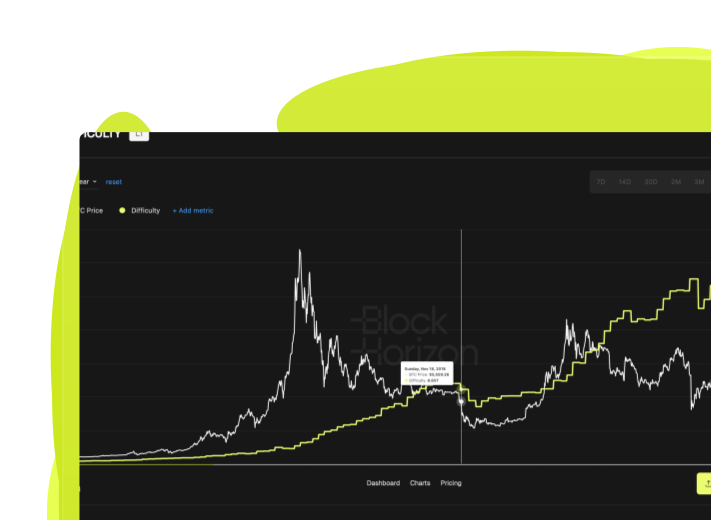
Download clean, research-grade Bitcoin datasets directly from BlockHorizon. Export historical on-chain and market metrics in CSV, JSON, or XLSX formats - ready for models, reports, and workflows.
.png)
What Is Data Export & Download?

.png)
.png)
.png)
.png)
Why Data Export Matters
Move from viewing data to working with data
Build Custom Models Without Manual Data Entry
Download complete historical datasets and combine them with your own indicators, valuation frameworks, or portfolio metrics. No more copying values by hand or dealing with inconsistent data sources.
.avif)
Integrate Bitcoin Intelligence Into Existing Workflows
Export data in formats that work with your existing tools - whether that's Excel for quick analysis, Python for quantitative modeling, or BI platforms for automated dashboards and reporting.
.svg)
Create Repeatable, Auditable Research
Every export is time-stamped and sourced from verified on-chain and market data. This means your analysis is reproducible, transparent, and credible enough for institutional review or academic publication.
.svg)
How Data Export Works
Step 1
Select Your Metric
Navigate to any chart in the BlockHorizon platform and open the metric you want to analyze.
Step 2
.svg)
Choose Your Format
Click the download button and select CSV, JSON, or XLSX based on your workflow needs.
Step 3
.svg)
Start Analyzing
Open the file in your preferred tool and start building models, reports, or custom visualizations immediately.
When to Use Data Export

Institutional Investment Analysis
Portfolio managers download long-term holder metrics, miner revenue, and realized cap data to build proprietary Bitcoin valuation models that inform allocation decisions across market cycles.
.svg)
Academic Research & Publications
Blockchain researchers export on-chain supply data and network activity metrics to study Bitcoin adoption patterns, holder behavior, and economic incentives for peer-reviewed papers.
.svg)
Client Reporting & Presentations
Analysts and advisors download cycle indicators and supply metrics to create presentation-ready visuals and data-backed narratives for client meetings, investment committees, or public commentary.
Technical Details
Supported formats
CSV, JSON, XLSX
Historical range
Full dataset history (varies by metric, typically 2+ years minimum)
Download limits
Up to 10 downloads per metric per day per user (Pro plan)
Data update frequency
Real-time for market metrics, daily for on-chain metrics
File structure
Clean headers, ISO date formats, consistent null handling
Compared metrics
When comparing multiple charts, all selected metrics export together
.png)
.png)
Ready to Start Building With Bitcoin Data?
Download institutional-grade datasets and take your analysis to the next level.