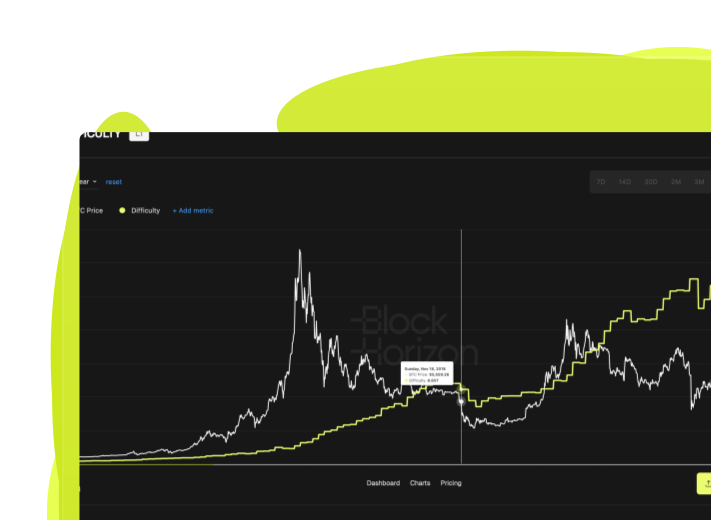
Custom Dashboard
Build Your Personal Bitcoin Intelligence Hub
Create personalized dashboard views that organize your most-used metrics, charts, and indicators in one place. Customize layouts, save configurations, and access the insights that matter most to your analysis workflow.
.png)
What Is Custom Dashboard?

.png)
.png)
.png)
.png)
Why Custom Dashboard Matters
Organize Bitcoin data around your unique research process
Focus on What Matters to You
Every analyst tracks Bitcoin differently. Custom Dashboard lets you prioritize the metrics, timeframes, and indicators that align with your investment thesis, research goals, or trading strategy.
.avif)
Faster Decision-Making
Check your entire analytical framework at a glance instead of clicking through dozens of charts. Monitor multiple metrics simultaneously and spot relationships that would be invisible in isolated views.
.svg)
Streamline Recurring Workflows
If you check the same set of charts every morning, prepare similar client reports monthly, or monitor specific indicators during volatility, Custom Dashboard transforms repetitive tasks into one-click workflows.
.svg)
How Custom Dashboard Works
Step 1
Select Your Metrics
Choose the charts and indicators you want to include from BlockHorizon's full analytics library. Add long-term holder metrics, supply data, miner economics, or cycle indicators.
Step 2
.svg)
Arrange Your Layout
Drag and drop metrics into your preferred layout. Organize them by category, priority, or analysis stage - whatever structure works best for you.
Step 3
.svg)
Save and Access Anytime
Save your custom dashboard and access it instantly whenever you log in. Create multiple dashboards for different use cases and switch between them with one click.
When to Use Custom Dashboard

Daily Market Monitoring
Traders and analysts create dashboards with real-time indicators, price metrics, and holder behavior data to track market conditions every morning before making decisions.
.svg)
Client Reporting Workflows
Portfolio managers build dashboards that mirror their monthly client reports - organizing the same charts, timeframes, and indicators they present to investors for faster report preparation.
.svg)
Thesis-Specific Research
Researchers studying specific Bitcoin phenomena create focused dashboards with only the metrics relevant to their thesis - whether that's miner stress, supply shocks, or long-term holder conviction.
Technical Details
Dashboard limits
Unlimited custom dashboards on Pro plan
Metrics per dashboard
Up to 20 charts per dashboard view
Layout options
Grid, list, and custom arrangements
Auto-refresh
Real-time updates for market data, daily updates for on-chain metrics
Sharing
Dashboard configurations are user-specific (not shareable between accounts)
Mobile access
Full dashboard functionality on tablet and mobile devices
.png)
.png)
.png)
Ready to Build Your Bitcoin Intelligence Hub?
Create custom dashboards that match the way you analyze Bitcoin.